Adding Turnitin Similarity to an Assignment
- In your Canvas course navigation, click Assignments.
- Click +Assignments.
- In the text editor, enter a description or explanation about the assignment.
- Enter the following information for your assignment:
- Assignment title
- Assignment description
- Points for the assignment
- Assignment Group (optional)
- Display Grade format
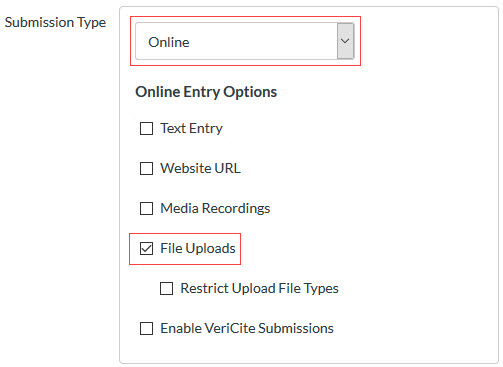
- Under Submission Type, select File Uploads.
- From the Plagiarism Review drop-down menu, select Similarity by Turnitin and customize the Turnitin plagiarism settings.
- Choose when you want reports to be available to students (Immediately, After the assignment is graded, After the due date, Never).
- Fill out the remaining fields, including Group Assignment, Peer Review, Moderated Grading and Due date and Availability date.
- Click Save.